
ANY Process Demo: WMS Processes Prerequisites
The following prerequisites are needed for all demo WMS processes.
Warehouse employees
For the Warehouse Management System (WMS) pre-configured processes, define a warehouse employee for the locations used. Define the warehouse employee for the user assigned to the external user authorized to execute the pre-configured processes.
Execute the following steps in Microsoft Dynamics Business Central:
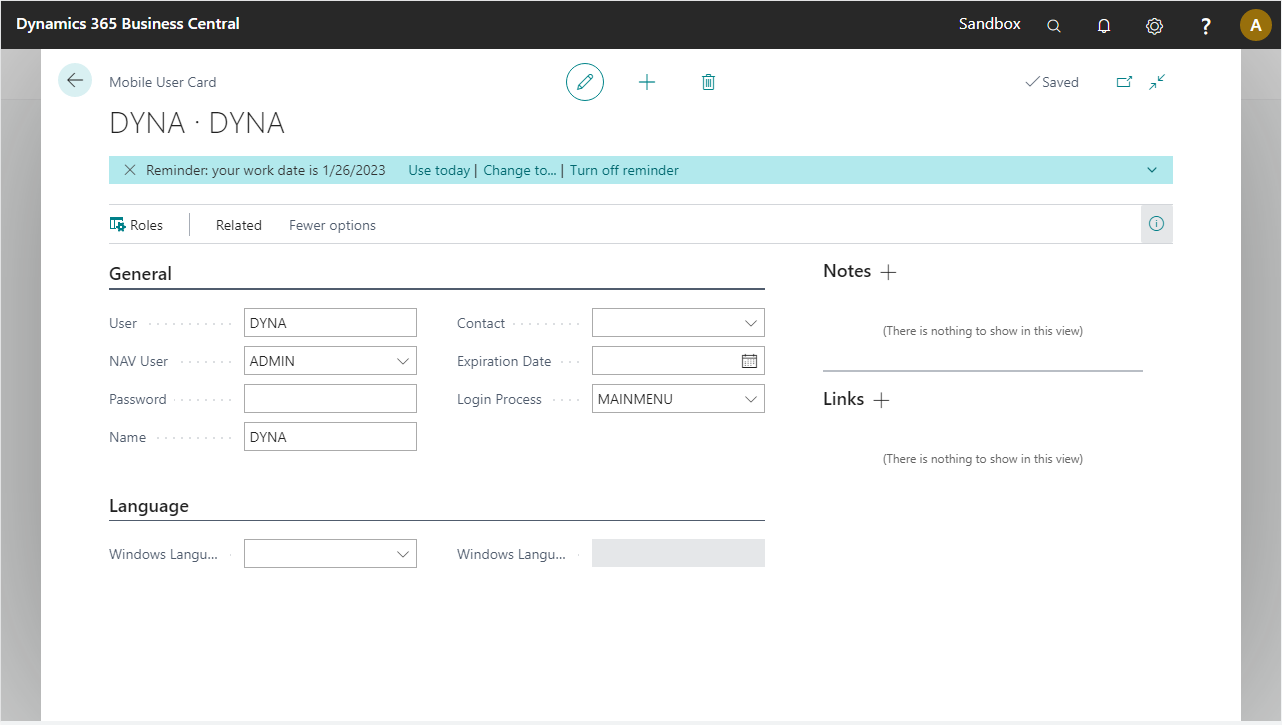
Go to Setup > User Management > Mobile Users and open the card of the external user (for example, DYNA). Note the NAV User connected to it, in this case: ADMIN.
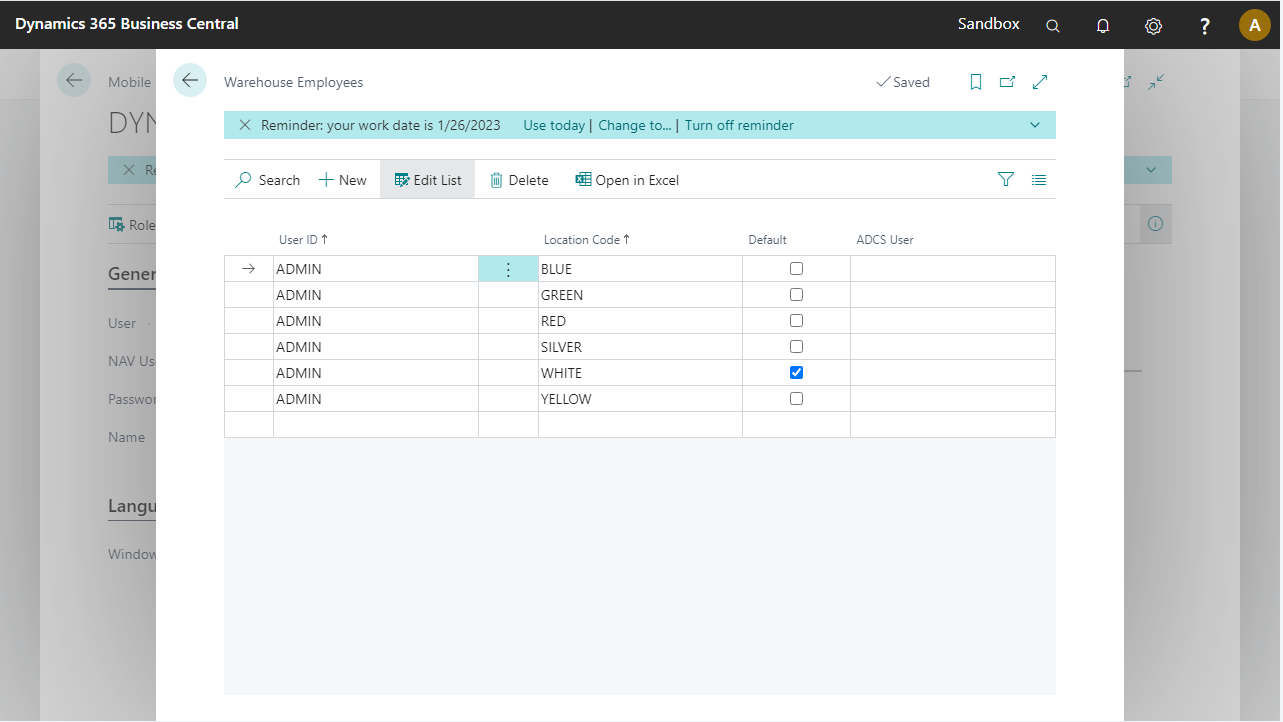
Go to the Warehouse Employees page and make sure the NAV User has the warehouses assigned, with one set as default.
Item tracking
To support item tracking in all pre-configured processes, modify existing item tracking codes. See more.