
Anywhere Mobility Studio Documentation
How to: Register the redirect URIs for your app
To establish communication between your Microsoft Dynamics 365 Business Central environment and the Anywhere Portal, define redirect URIs that the app calls after a successful authentication.
Steps
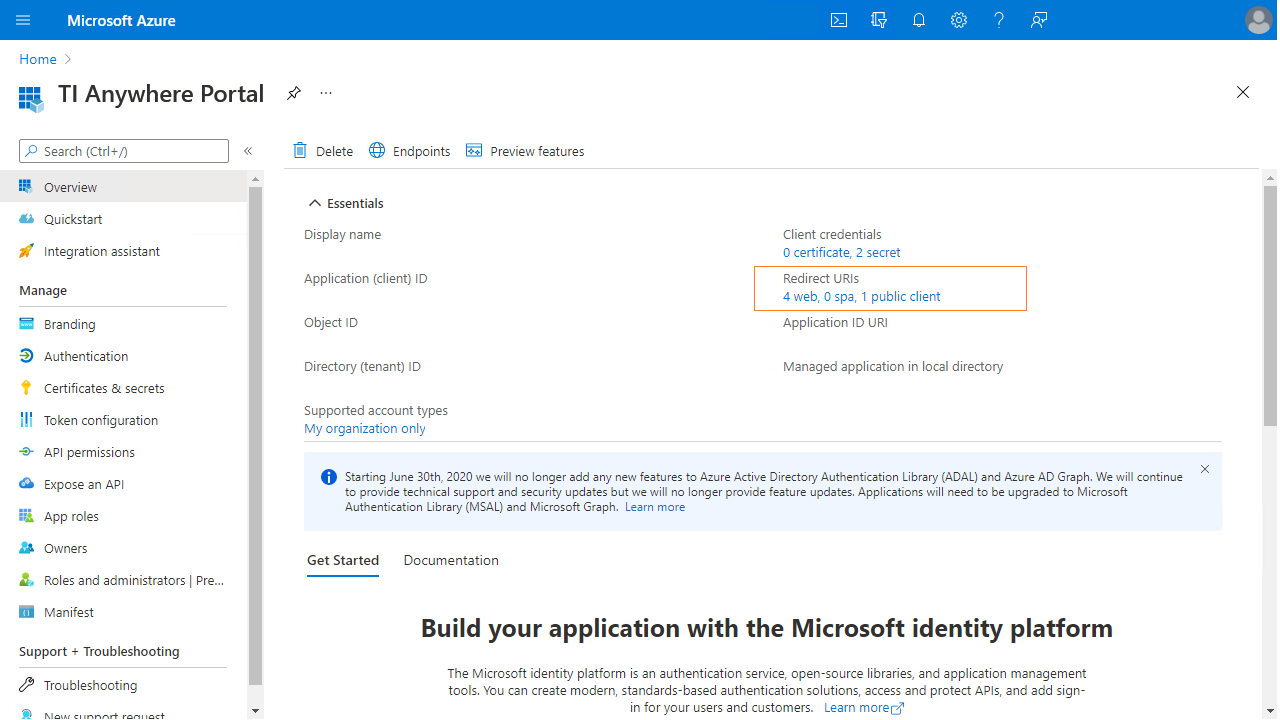
In the Azure Active Directory admin center, open your app's overview page and select the Redirect URIs section.
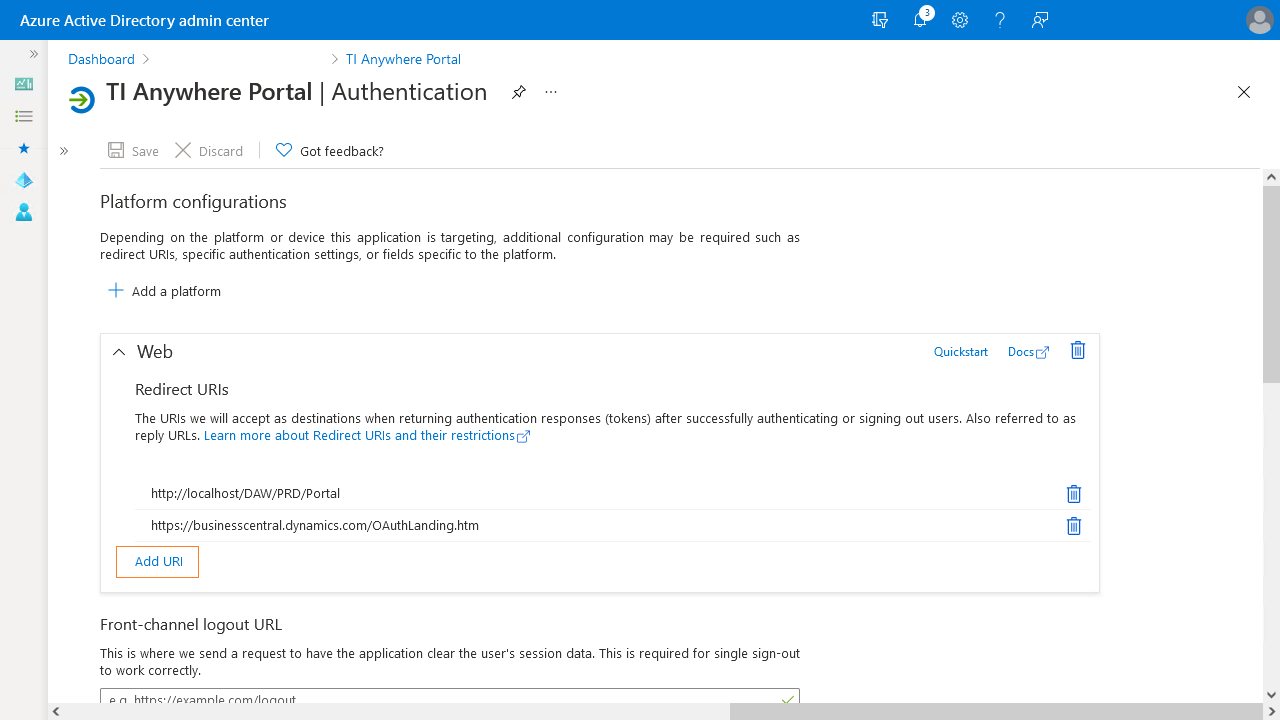
Define the redirect URIs for both the Anywhere Portal app and the Microsoft Dynamics 365 Business Central app using the Add URI action under the Web tab.
 Registering the Anywhere portal as an app in Azure Active Directory is based on Microsoft docs.
Granting the Azure app rights is based on Microsoft docs.