
Anywhere Mobility Studio Documentation
How to: Register the required permissions for your app
To establish communication between your Microsoft Dynamics 365 Business Central environment and the Anywhere Portal, grant the app a number of permissions.
Steps
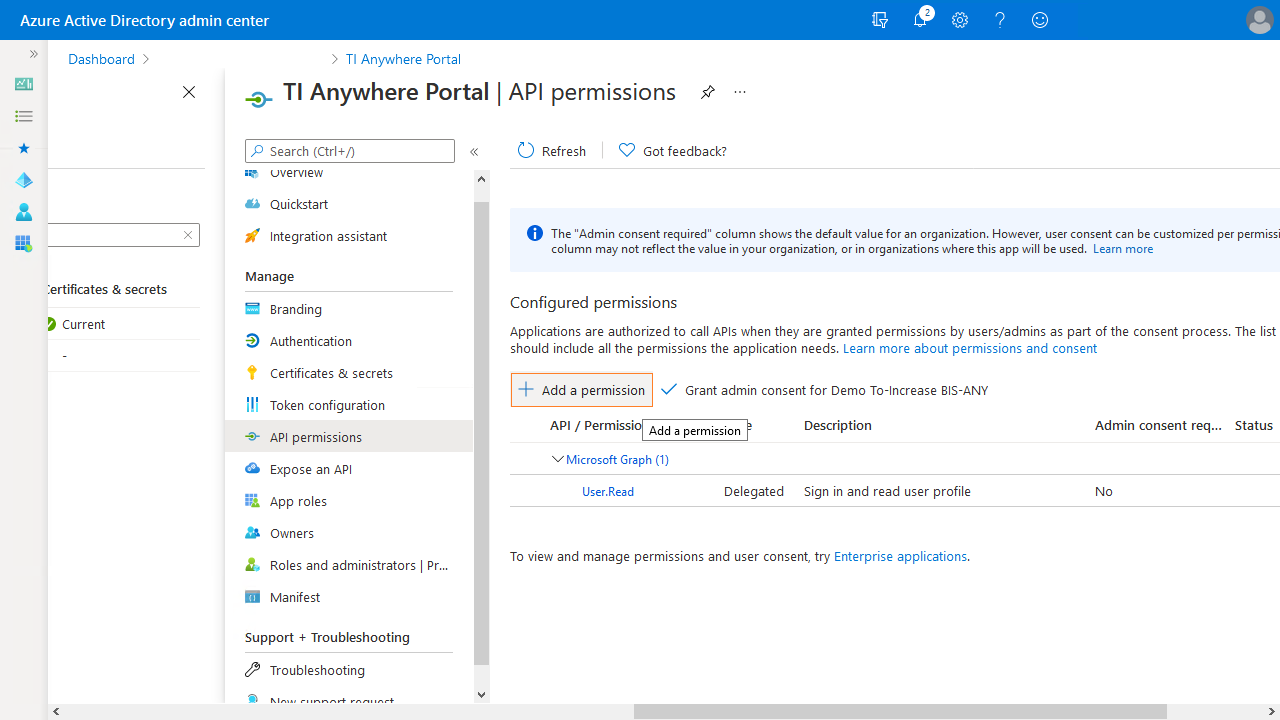
In the Azure Active Directory admin center, open your app and select the API permissions section, then select the Add a permission action.
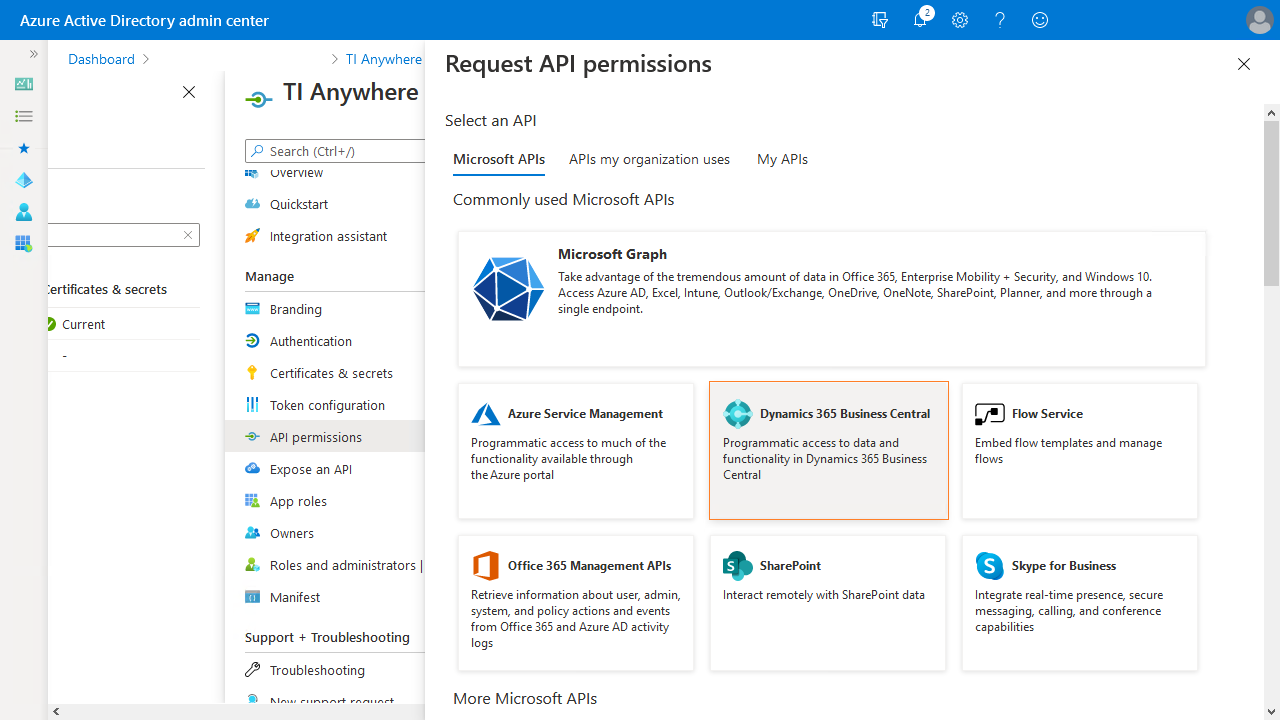
On the page that opens, grant your app permissions for accessing the Dynamics 365 Business Central database.
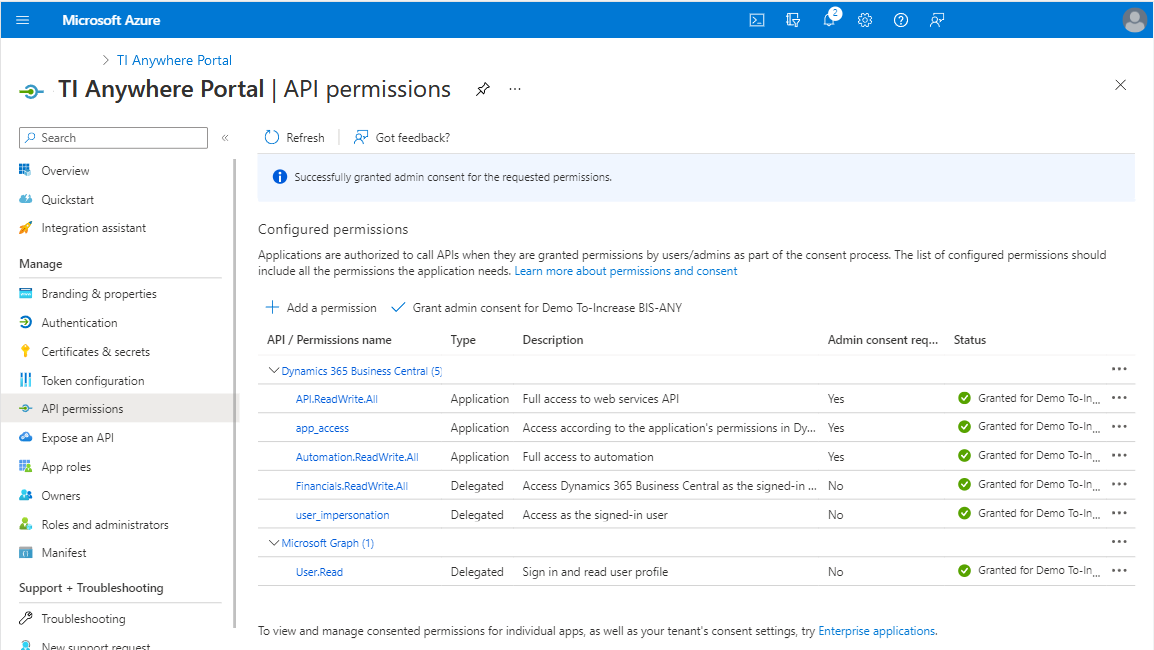
After confirming the selection, the API permissions page looks like this:
 Registering the Anywhere portal as an app in Azure Active Directory is based on Microsoft docs.
Granting the Azure app rights is based on Microsoft docs.
For service-to-service (S2S) authentication, see Microsoft docs.