
Business Integration Solutions documentation
Label printing troubleshooting
In some situations, there is no communication between the NAV server and the label server.
Port numbers
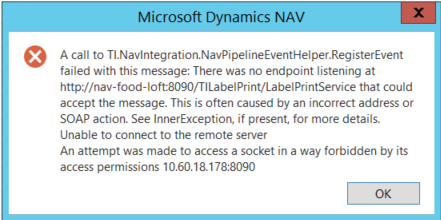
When the NAV product and the label printing software are installed on different servers, the two servers communicate via ports 8090 and 2723. Port 8090 is used by the TI.Labelprinting Service (you can change this in the CONFIG file, see above). Port 2723 is used by the Loftware Print Service. For Bartender, only port 8090 is used.
If a port is blocked, an error message such as the following may appear:
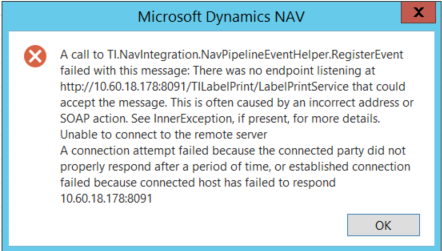
If the port number in the TI.Labelprinting Service CONFIG file differs from the value in the Label Printing Setup in NAV, or if the server name for the label printing software is incorrect, an error message such as the following may appear:
Wrong label folders
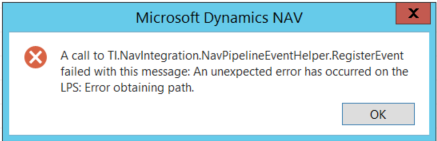
In the Label Printing Setup in NAV, enter the folder where the label definitions are stored. Make sure this is the folder used by the label printing software (Bartender or Loftware) on that server, not a local folder on the NAV server.
If the folder does not exist, an error message such as the following may appear:
Printers do not appear or wrong printers appear
The system uses any printer set up on the Loftware or Bartender server as available printers for labels. A printer created on the NAV server for label printing does not work.
One exception applies: when the label printing connection uses a NAV report, the data routes back into a NAV report and prints on any printer created in NAV.