
Business Integration Solutions documentation
Walkthrough: Credit Limit Change
About this walkthrough
This walkthrough provides an overview of how to send a notification about a credit limit change.
The salesperson receives a notification when the credit limit of a customer changes. The credit limit is the maximum amount by which you allow the customer to exceed the payment balance before warnings are issued.
Prerequisites
| Template | Description | Default report |
|---|---|---|
| NM_CREDIT.LIMIT | NM Template: Notification for Credit Limit Changes | N/A |
Story
This connection uses the following pipeline elements:
- The Record Change Event triggers on Modify and links to the internal document NM_CREDITLIMIT1, which contains only one field: the Credit Limit (LCY) field from the Customer table. When the credit limit for a customer changes, the pipeline triggers.
- The Splitter activity creates one message for each customer.
- The XML Minifier activity cleans the message of empty nodes and blocks that are not mandatory.
- The message passes through the XMLSchemaValidator, which verifies that the XML message respects the internal document structure, for example, that all mandatory nodes are present.
- The Header Mapper activity adds the headers to the message body, filling in the recipients and email subject.
- The XML to HTML Translator activity creates an HTML email message based on your branding templates. You can also configure an HTML body manually.
- The Email Writer endpoint sends the emails. It supports sending several emails at a time.
- The internal document NM_CREDITLIMIT2 contains all the information needed to configure the XML Generator activity, the Splitter activity, the Header Mapper activity, and the XML to HTML Translator activity. Adding other fields to this document lets you define a personalized email message.

Task
Setup
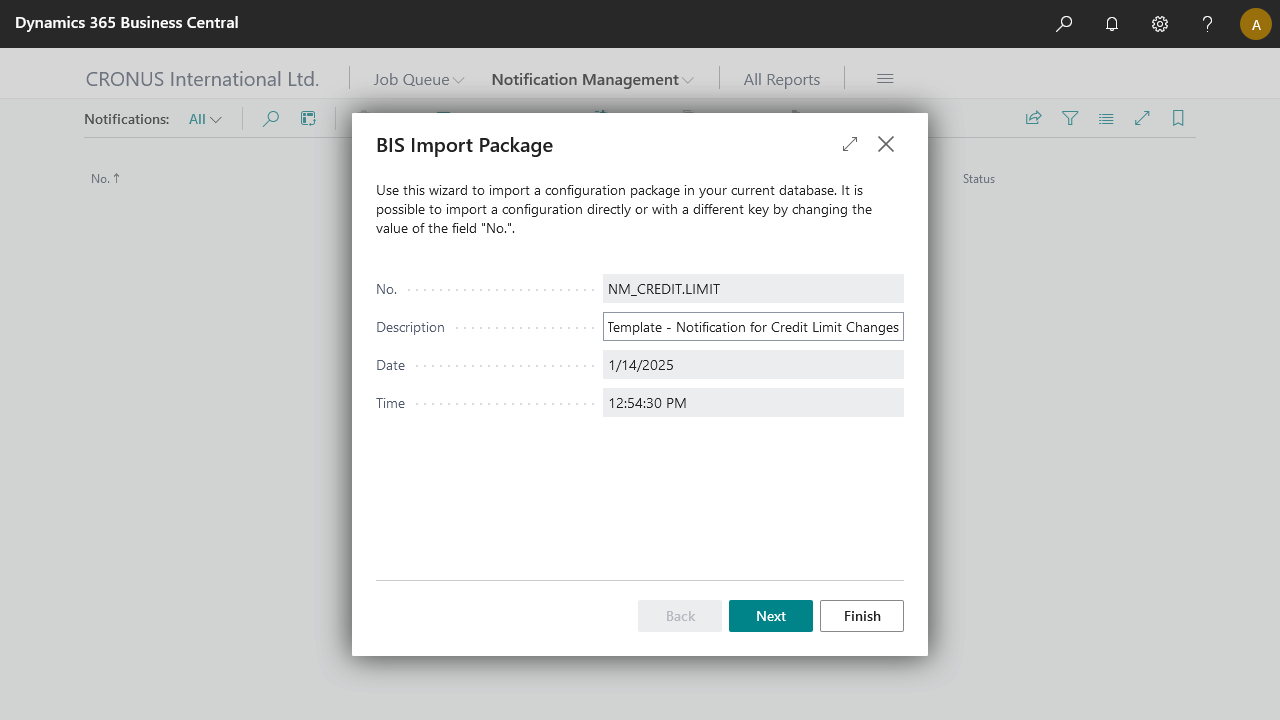
Import the NM_CREDIT.LIMIT.zip configuration package, or use the BIS template if available.
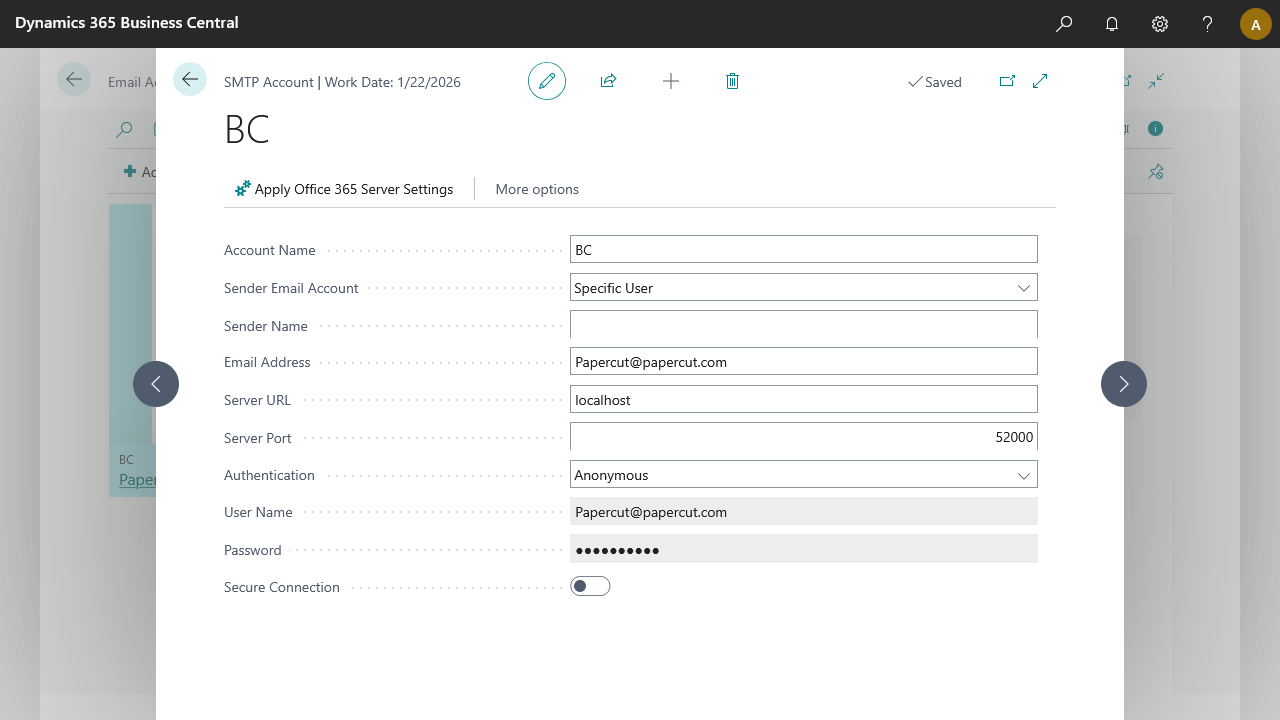
Add a new email account in Email Accounts, then select SMTP Account to send notifications via the Papercut SMTP server.
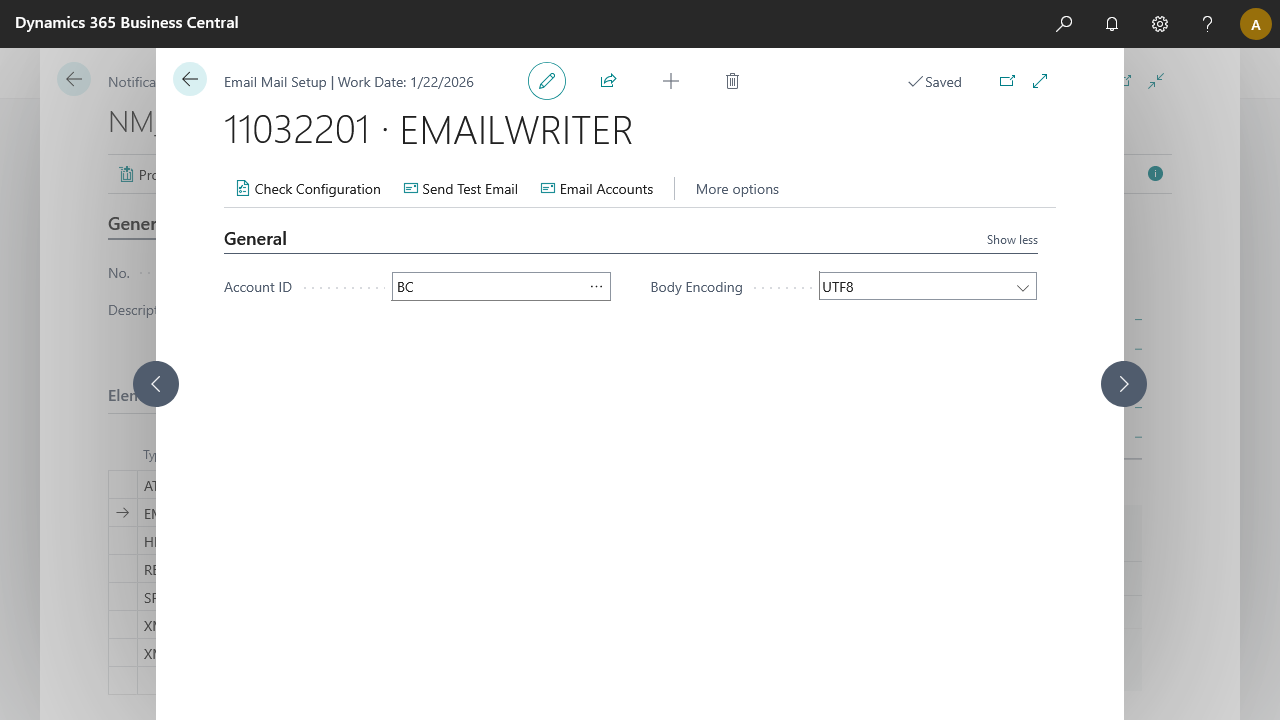
On the notification page, edit the EMAILWRITER and add the Account ID created in the previous step. Run the configuration once.
Process
Open the Customer Card for The Cannon Group PLC (10000).
Modify the value in the Credit Limit (LCY) field.
Select OK.
Open the NM_CREDIT.LIMIT notification.
To check whether the Record Change Event captured the modification, edit the RECORDCHANGEEVENT and select Navigate > Details. An entry should appear on the Record Changes page.
Process the notification.
Result
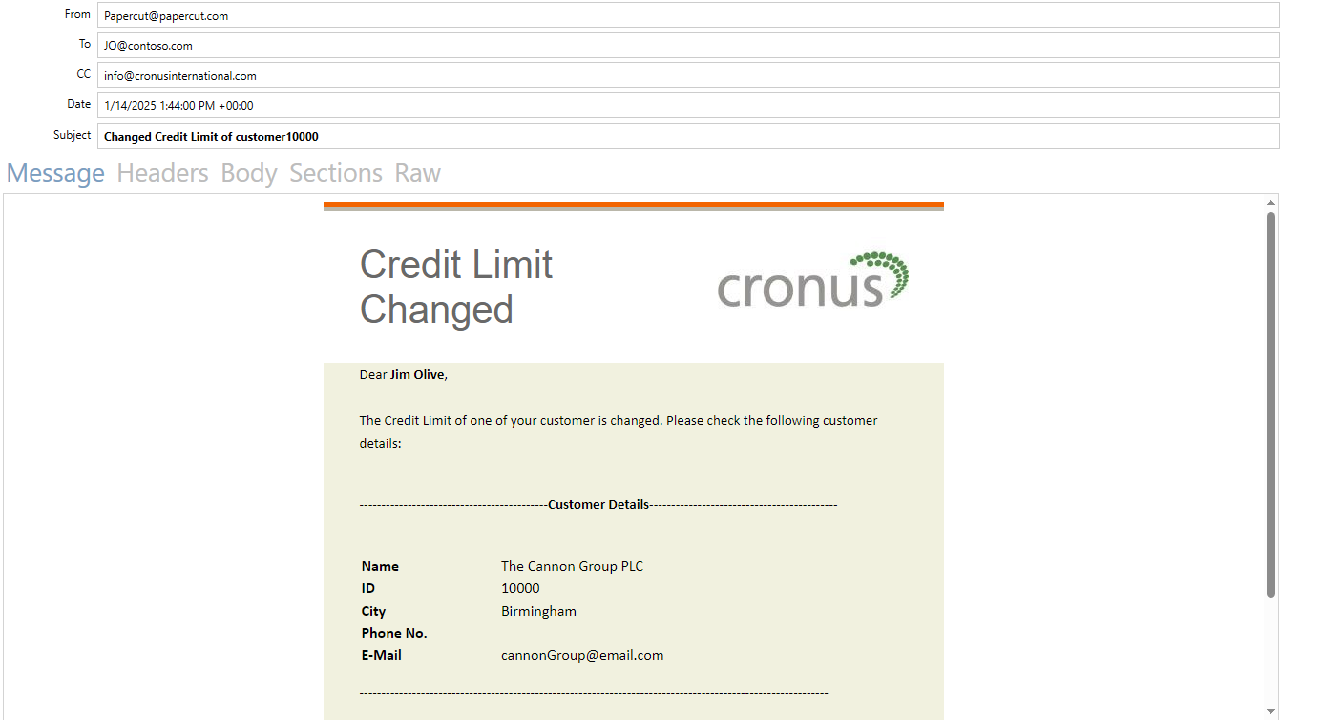
The mail sends to all recipients. Using Papercut, the mail is captured in the demo environment, showing a preview of the HTML mail body and a PDF attachment of the Credit Limit report.
For a brief guide, see Papercut SMTP setup.